

Creating an API with Heroku is Simple one , you can do it very quickly.
Now we are going to create an API for sentiment analysis , you can also alternate the code any machine learning model
I created a folder name as sentiment_analysis

At minimum level your file should contain these .
we will get those one by one

this is an simple flask app for giving the result the text is positive or negative or neutral , just save this and run the app.py
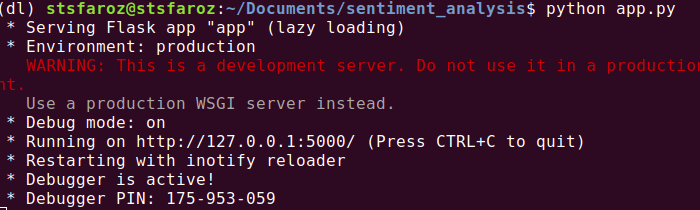
then open the jupyter or python editor and another side this server to be running parallel .
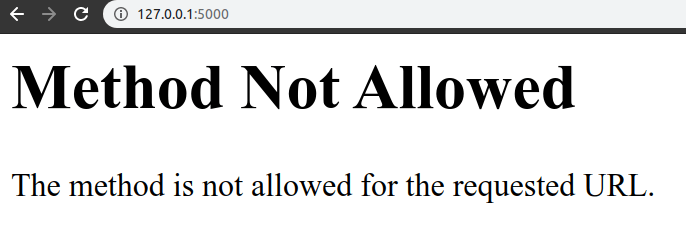
The main thing you have to keep in mind that we have to send the data in json format .
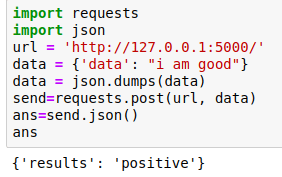
In this we just converted the data into json format
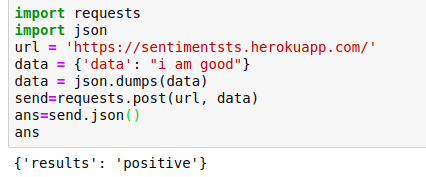
After that i just requested the running server with its address and passing the data with it.

We got answer as positive . It is working , Now we have to deploy this to Heroku.
Create a new account in Heroku if you did not have it
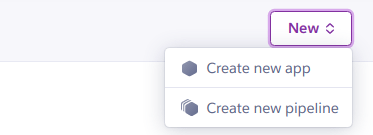
After Creating the account Click on new.
Click the Create new app
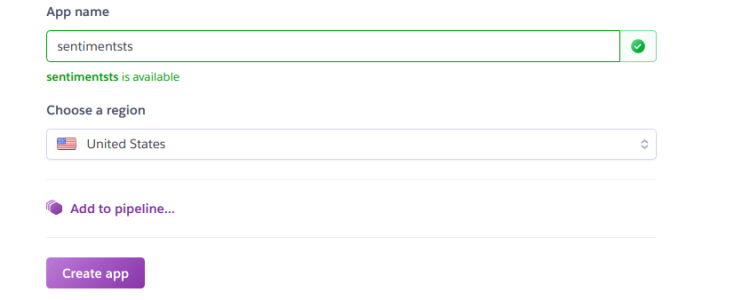
Then install the Heroku-CLI in your system
For windows 32bit https://cli-assets.heroku.com/heroku-x86.exe
Trending AI Articles:
1. How I used machine learning as inspiration for physical paintings
2. MS or Startup Job — Which way to go to build a career in Deep Learning?
3. TOP 100 medium articles related with Artificial Intelligence
For windows 64bit https://cli-assets.heroku.com/heroku-x64.exe
For Ubuntu 16+ sudo snap install –classic heroku
For Mac brew tap heroku/brew && brew install heroku
For more info https://devcenter.heroku.com/articles/heroku-cli
Ok now we are ready to deploy but we need create two more files in it
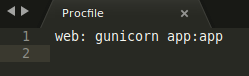
Procfile [P has to be in caps]
you can create the requirements.txt by this command
pip freeze > requirements.txt

We are ready to deploy it ,This is how our folder finally looks like
Then do the below steps in your cmd
$ heroku login
the it will popup the login in access in browser click login to it
$ cd sentiment_analysis/
$ git init
$ heroku git:remote -a sentimentsts
Deploy your application
Commit your code to the repository and deploy it to Heroku using Git.
$ git add .
$ git commit -am "make it better"
$ git push heroku master
Everything is done, Click the open app in your app page , you will get the link of the API
Finallyyyyy..

Deploying the machine learning model in Heroku using Flask was originally published in Becoming Human: Artificial Intelligence Magazine on Medium, where people are continuing the conversation by highlighting and responding to this story.
 365 Data Science