
Data Analysts/Scientists should have a basic knowledge of Unix Commands, the goal of this post is to give some examples of how the shell commands would help them on their daily tasks. For the first examples we will consider the following eg1.csv:
ID,Name,Dept,Gender
1,George,DS,M
2,Billy,DS,M
3,Nick,IT,M
4,George,IT,M
5,Nikki,HR,F
6,Claudia,HR,F
7,Maria,Sales,F
8,Jimmy,Sales,M
9,Jane,Marketing,F
10,George,DS,M

Examples of Basic Unix Commands
Q: How to print the first or the last 3 rows of the files.
# The first
head -n 3 eg1.csv
# The last
tail -n 3 eg1.csv
Q: How to skip the first line(s) or the last line(s).
Sometimes we want to skip the first line which usually is the headers. The command is:
# it skips the first line
tail -n +2 eg1.csv
# it skips the last 4 lines
head -n -4 eg1.csv
# skip first line
1,George,DS,M
2,Billy,DS,M
3,Nick,IT,M
4,George,IT,M
5,Nikki,HR,F
6,Claudia,HR,F
7,Maria,Sales,F
8,Jimmy,Sales,M
9,Jane,Marketing,F
10,George,DS,M
Q: How to print the whole file.
# for the whole file
cat eg1.csv
# the first rows - then type space more more or q to quit
less eg1.csv
Q: How to copy a file.
cp eg1.csv copy_eg1.csv
Q: How to rename a file.
mv copy_eg1.csv backup_eg1.csv
Q: How to remove a file.
rm backup_eg1.csv
Q: How to get a list of information about files in the working directory.
ls -lh
Q: How to check free disk space.
df -h
Q: How to get how much space one ore more files or directories is using.
du -sh
Q: How can I select columns from a file.
If you want to select columns, you can use the command cut. It has several options (use man cut to explore them), but the most common is something like:
cut -f 1-2,4 -d , eg1.csv
This means “select columns 1 through 2 and columns 4, using comma as the separator”. cut uses -f (meaning “fields”) to specify columns and -d (meaning “delimiter”) to specify the separator.
Trending AI Articles:
1. Microsoft Azure Machine Learning x Udacity — Lesson 4 Notes
2. Fundamentals of AI, ML and Deep Learning for Product Managers
This command returns:
ID,Name,Gender
1,George,M
2,Billy,M
3,Nick,M
4,George,M
5,Nikki,F
6,Claudia,F
7,Maria,F
8,Jimmy,M
9,Jane,F
10,George,M
Q: How can I exclude a column
In order to exclude a column or columns, we do the opposite of selecting columns by adding the -complement. For instance, let’s say that we want to exclude the second column. See other ideas here
cut --complement -f 2 -d , eg1.csv
Q: How can I select lines containing specific values.
For example, let’s say that we want to select all lines which contain the value “Sales”. Then the command is:
grep Sales eg1.csv
7,Maria,Sales,F
8,Jimmy,Sales,M
Q: How can I store a command’s output in a file.
Let’s say that I want to get the second column (i.e Name) from the eg1.csv and store it to a new file called names.txt. The > tells the shell to redirect command output to a file.
cut -f 2 -d , eg1.csv > names.txt
Q: How to combine commands.
The pipe | symbol tells the shell to use the output of the command on the left as the input to the command on the right. Let’s see the following example where we want to exclude the headers from the names.txt file.
cut -f 2 -d , eg1.csv | tail -n +2 > names_without_header.txt
Or we can take a subset of lines of a file. For example:
head -n 5 eg1.csv | tail -n -3
2,Billy,DS,M
3,Nick,IT,M
4,George,IT,M
Q: How to count the number of lines in a file.
wc -l eg1.csv
Q: How can I specify many files at once.
Assume that in the tmp folder we have many csv files and we want to get the first column of all of them.
cut -d , -f 1 tmp/*.csv
Q: How can I sort lines of text.
Let’s say that I want to sort the names of the eg1.xt file. Thus I have to choose the first column and to exclude the header which is called “name”.
cut -f 2 -d , eg1.csv | grep -v Name | sort
Billy
Claudia
George
George
George
Jane
Jimmy
Maria
Nick
Nikki
Q: How can I take the unique lines.
uniq command removes adjacent duplicated lines. This implies that we must first sort the file and then run the uniq command. For example, let’s take the unique names from the names_without_header.txt.
sort names_without_header.txt | uniq
Billy
Claudia
George
Jane
Jimmy
Maria
Nick
Nikki
Q: How to do “ value counts”.
We can combine the sort and uniq -c commands. The following command returns the number of employees by department.
cut -f 3 -d , eg1.csv | grep Dept -v | sort | uniq -c
and we get:
3 DS
2 HR
2 IT
1 Marketing
2 Sales
Q: How to find the location of a file(s) within all directories contained within that directory.
The first argument is then followed by a flag that describes the method you want to use to search. In this case we’ll only be searching for a file by its name, so we’ll use the -name flag. The -name flag itself then takes an argument, the
name of the file that you’re looking for.
# search for the randomfile.txt find . -name randomfile.txt # now let's try searching for all .jpg files: find . -name *.jpg
Q: How to compress/decompress files.
# compress files to a zip file zip zipped.zip file1 file2 file3 # to uncompress a zip file unzip zipped.zip # compress to a tar file tar -zcvf myfile.tgz . # decompress tar file tar -zxvf myfile.tgz # To extract a file compressed with gunzip, type the following gunzip filename_tar.gz tar xvf filename_tar # compress a file using gzip gzip filename # decompress the filename gzip -d filename.gz # or gunzip filename.gz
Here you can find a cheat-sheet
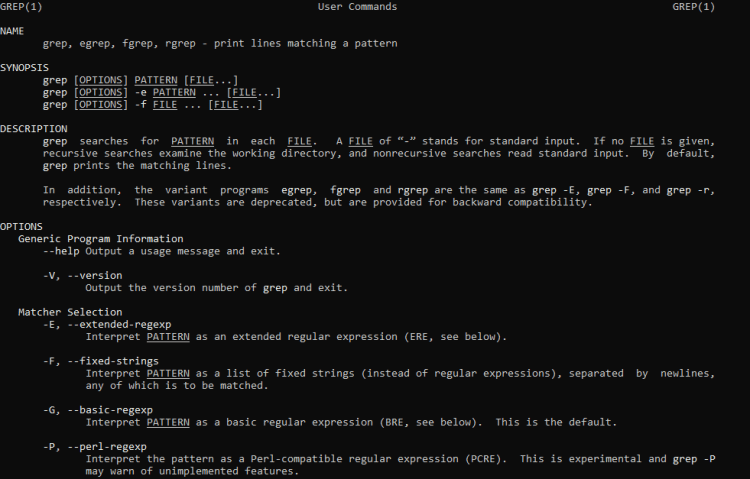
Q: Difference between grep, egrep, fgrep
You can have a look at unix.stackexchange.
Q: How to dowload files from remote locations.
We can use the wget command. For example let’s download the “iris.csv”.
wget https://raw.githubusercontent.com/uiuc-cse/data-fa14/gh-pages/data/iris.csv
--2019-08-05 13:57:02-- https://raw.githubusercontent.com/uiuc-cse/data-fa14/gh-pages/data/iris.csv Resolving raw.githubusercontent.com (raw.githubusercontent.com)... 151.101.0.133, 151.101.64.133, 151.101.128.133, ... Connecting to raw.githubusercontent.com (raw.githubusercontent.com)|151.101.0.133|:443... connected. HTTP request sent, awaiting response... 200 OK Length: 3716 (3.6K) Saving to: 'iris.csv' iris.csv 100%[=================================================>] 3.63K --.-KB/s in 0.001s 2019-08-05 13:57:02 (3.50 MB/s) - 'iris.csv' saved [3716/3716]
and we get
# head -n 5 iris.csv
sepal_length,sepal_width,petal_length,petal_width,species
5.1,3.5,1.4,0.2,setosa
4.9,3,1.4,0.2,setosa
4.7,3.2,1.3,0.2,setosa
4.6,3.1,1.5,0.2,setosa
A brief description of sed “command”
Q: How to display line multiple times.
# displays the third line twice
sed '3p' eg1.csv
ID,Name,Dept,Gender
1,George,DS,M
2,Billy,DS,M
2,Billy,DS,M
3,Nick,IT,M
4,George,IT,M
5,Nikki,HR,F
6,Claudia,HR,F
7,Maria,Sales,F
8,Jimmy,Sales,M
9,Jane,Marketing,F
10,George,DS,M
Q: How to display a specific line.
# it displays only the third line
sed -n '3p' eg1.csv
2,Billy,DS,M
Q: How to display the last line of a file.
sed -n '$p' eg1.csv
10,George,DS,M
Q: How to display a range of lines
# it prints the 2nd up to 4th line
sed -n '2,4p' eg1.csv
1,George,DS,M
2,Billy,DS,M
3,Nick,IT,M
Q: How NOT to display a specific line or a range of lines.
# all except 2nd line
sed -n '2!p' eg1.csv
# all except 2nd up 4th lines
sed -n '2,4!p' eg1.csv
# all except 2nd up 4th lines
ID,Name,Dept,Gender
4,George,IT,M
5,Nikki,HR,F
6,Claudia,HR,F
7,Maria,Sales,F
8,Jimmy,Sales,M
9,Jane,Marketing,F
10,George,DS,M
Q: How to display lines by searching a word.
# return any line containing the word "George
sed -n '/George/p' eg1.csv
1,George,DS,M
4,George,IT,M
10,George,DS,M
Q: How to substitute data in file.
# replace "George" to "Georgios"
sed 's/George/Georgios/g' eg1.csv
ID,Name,Dept,Gender
1,Georgios,DS,M
2,Billy,DS,M
3,Nick,IT,M
4,Georgios,IT,M
5,Nikki,HR,F
6,Claudia,HR,F
7,Maria,Sales,F
8,Jimmy,Sales,M
9,Jane,Marketing,F
10,Georgios,DS,M
A brief description of awk “command”
Q: How to print a specific column.
# prints the third column. The dollar sign
# defines the column and the separator
# was defined with the -F ","
awk -F "," '{print $3}' eg1.csv
# alternatively
awk  '{print $3}' FS="," eg1.csv
# print the 1st and 3 column. Display separated by tab
awk -F "," '{print $1 "\t" $3}' eg1.csv
# if you want to print everything, then you can write
awk -F "," '{print $0}' eg1.csv
# print the 1st and 3 column. Display separated by tab
awk -F "," '{print $1 "\t" $3}' eg1.csv
ID     Dept
1       DS
2       DS
3       IT
4       IT
5       HR
6       HR
7       Sales
8       Sales
9       Marketing
10      DS
Q: How to remove header row from the results.
# we use the NR which comes from "number of row"
awk 'NR!=1' eg1.csv
# The NR takes also great, less, equal, not equal
# so we get the same results with the NR>1
awk 'NR>1' eg1.cs
Q: How to conditionally select data.
# let's say that we want all the rows where the department is DS
awk -F"," '$3=="DS"{print $0}' eg1.csv
# let's say that we want all the rows where the id is
# higher than 5
awk -F"," '$1>5{print $0}' eg1.csv
# get all the rows where there is the substring "Ge"
awk -F"," '/Ge/{print $0}' eg1.csv
# get all the rows where there is the substring "Ge"
# in second column
awk -F"," '$2~/Ge/{print $0}' eg1.csv
# get all the rows where there is NOT the
# substring "Ge" in second column
awk -F"," '$2!~/Ge/{print $0}' eg1.csv
# awk -F"," '$3=="DS"{print $0}' eg1.csv
1,George,DS,M
2,Billy,DS,M
10,George,DS,M

# awk -F"," '$1>5{print $0}' eg1.csv
ID,Name,Dept,Gender
6,Claudia,HR,F
7,Maria,Sales,F
8,Jimmy,Sales,M
9,Jane,Marketing,F
10,George,DS,M

# awk -F"," '/Ge/{print $0}' eg1.csv
ID,Name,Dept,Gender
1,George,DS,M
4,George,IT,M
10,George,DS,M

# awk -F"," '$2!~/Ge/{print $0}' eg1.csv
ID,Name,Dept,Gender
2,Billy,DS,M
3,Nick,IT,M
5,Nikki,HR,F
6,Claudia,HR,F
7,Maria,Sales,F
8,Jimmy,Sales,M
9,Jane,Marketing,F
Don’t forget to give us your ? !




Basic Unix Commands for Data Scientists was originally published in Becoming Human: Artificial Intelligence Magazine on Medium, where people are continuing the conversation by highlighting and responding to this story.
 365 Data Science