
THIS is my small pet project, which I think can showcase a few somewhat creative ways of using OpenCV and image processing in general.
You’ve all heard about license plate recognition (heck, we have it on all speed cameras nowadays), but today we will take a look at another fun thing we can do with license plates — hide them from the preying eyes.
It’s not in my authority to explain why someone might want to remove the license plate from their car photos, if you’re interested go ahead google it on your own. From this point let’s just assume and agree that we want to do that.
I will be using Python and OpenCV to demonstrate how I did it, but the basic ideas behind it can be used in any other language/framework. Also I’d like to note that Python isn’t my “native” programming language so-to-say, and I apologize in advance for all the camelCase variable names you see, and some clumsiness in my code.
To break down the algorithm before we start coding:
- Detect where the license plate is located on our input image
- Approximate license plate’s background color
- Fill the license plate with the color we calculated
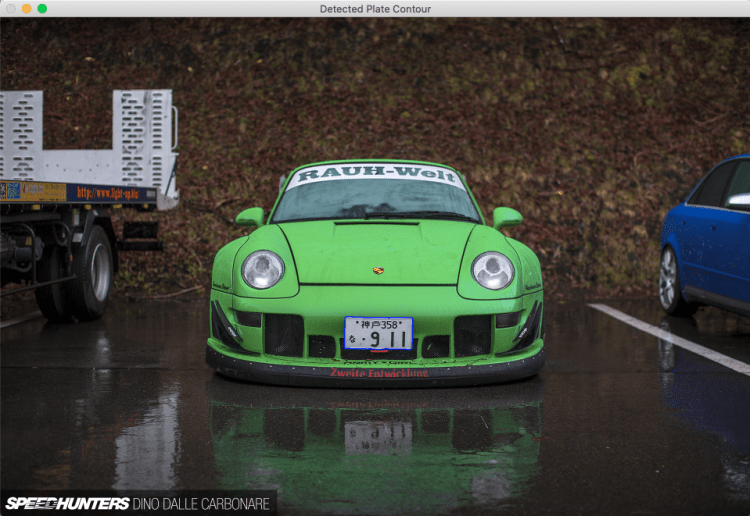
Let’s start by opening our image, we’ll take this beautiful RWB 911 as the main example here.
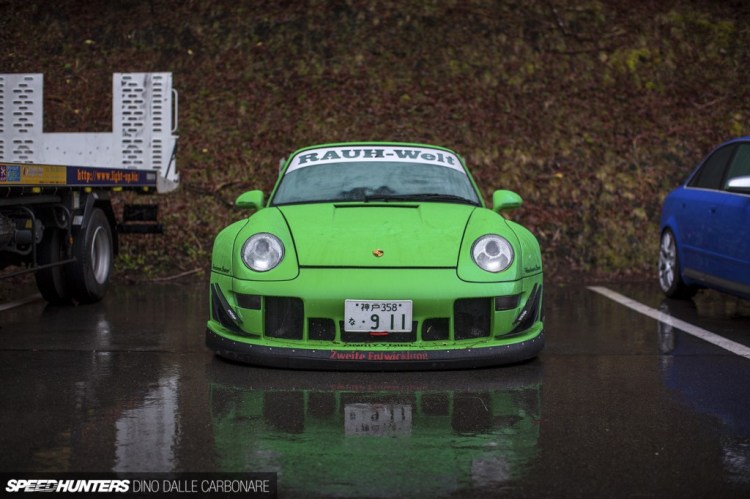
We will need to open it as PIL image first, and then we can convert it to the OpenCV format:
from PIL import Image as imageMain
from PIL.Image import Image
import cv2
import numpy

imagePath = '../sample-images/1.jpg'
imagePil = imageMain.open(imagePath)
imageCv = cv2.cvtColor(numpy.array(imagePil), cv2.COLOR_RGB2BGR)
cv2.imshow('Original Image', imageCv)
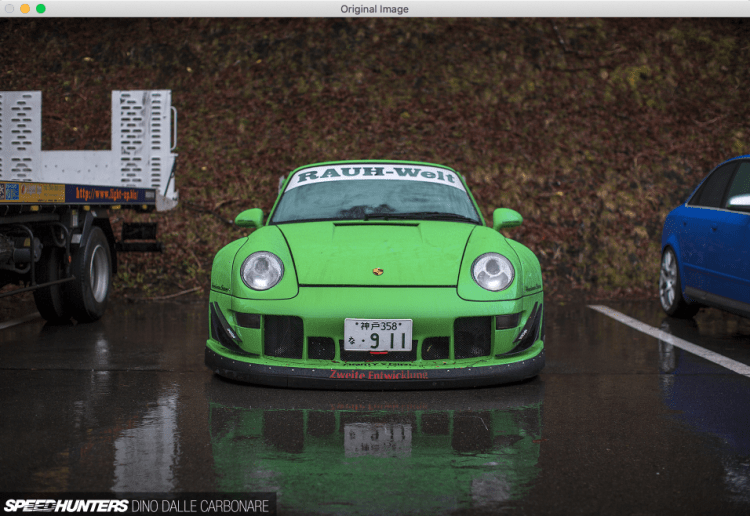
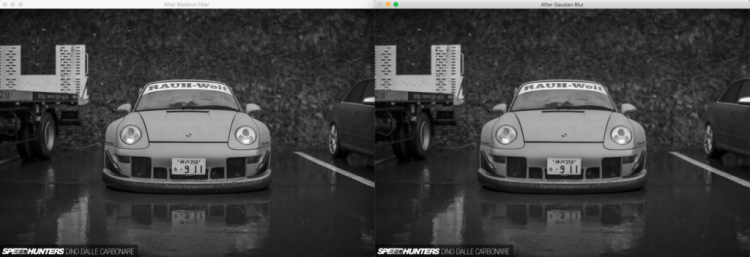
Now we’ll need to apply some pre-processing in OpenCV to make contour detection work. Namely we convert the image to gray scale, apply bilateral filter with cv2.bilateralFilter and Gausian blur with cv2.GaussianBlur:
gray = cv2.cvtColor(imageCv, cv2.COLOR_BGR2GRAY)
cv2.imshow('Gray Scaled', gray)

bilateral = cv2.bilateralFilter(gray, 11, 17, 17)
cv2.imshow('After Bilateral Filter', bilateral)

blur = cv2.GaussianBlur(bilateral, (5, 5), 0)
cv2.imshow('After Gausian Blur', blur)
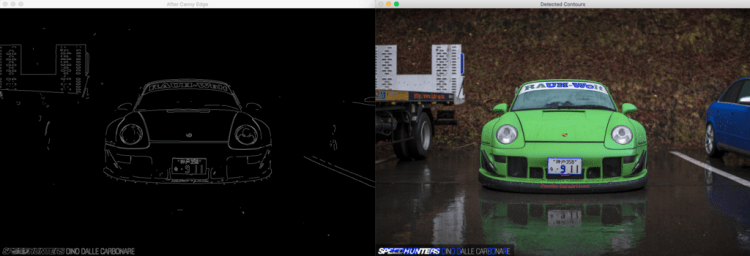
With this pre-processing completed, we can do a canny edge detection using cv2.Canny, find all contours with cv2.findContours, and examine 30 largest ones:
edged = cv2.Canny(blur, 170, 200)
cv2.imshow('After Canny Edge', edged)

contours, hierarchy = cv2.findContours(edged, cv2.RETR_LIST, cv2.CHAIN_APPROX_SIMPLE)
contours = sorted(contours, key = cv2.contourArea, reverse = True)[:30]
tempContours1 = cv2.drawContours(imageCv.copy(), contours, -1, (255, 0, 0), 2)
cv2.imshow('Detected Contours', tempContours1)
Now we can find only contours that are shaped like rectangles. To do that we go through each contour, calculate the perimeter with cv2.arcLength, and approximate the contour using cv2.approxPolyDP, with approximation accuracy (maximum distance between the original contour and its approximation) taken as 2% of perimeter. If the resulting approximated figure has exactly 4 points (i.e. resembles a rectangle) it might be our license plate. And since we start from the largest contour — license plate should be the first rectangle contour we found:
rectangleContours = []
for contour in contours:
    perimeter = cv2.arcLength(contour, True)
    approximationAccuracy = 0.02 * perimeter
    approximation = cv2.approxPolyDP(contour, approximationAccuracy, True)
    if len(approximation) == 4:
        rectangleContours.append(contour)

plateContour = rectangleContours[0]
tempContours2 = cv2.drawContours(imageCv.copy(), [plateContour], -1, (255, 0, 0), 2)
cv2.imshow('Detected Plate Contour', tempContours2)
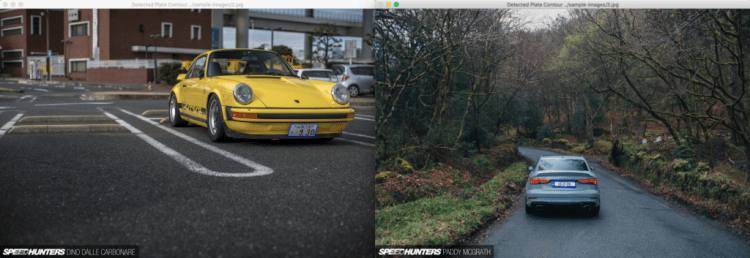
Let’s go though 2 more example images to make sure this approach is feasible. It seems to work fine for our purposes, even switching from Japanese to European license plate didn’t cause any issues.:
Trending AI Articles:
1. Microsoft Azure Machine Learning x Udacity — Lesson 4 Notes
2. Fundamentals of AI, ML and Deep Learning for Product Managers
Now to determining the plate’s background color. First retrieve the plate’s image using cv2.boundingRect over the contour, and apply some hard blur to minimize noise:
x,y,w,h = cv2.boundingRect(plateContour)
plateImage = imageCv[y:y+h, x:x+w]
cv2.imshow('Plate Original', plateImage)

plateImageBlur = cv2.GaussianBlur(plateImage, (25, 25), 0)
cv2.imshow('Plate Blurred', plateImageBlur)
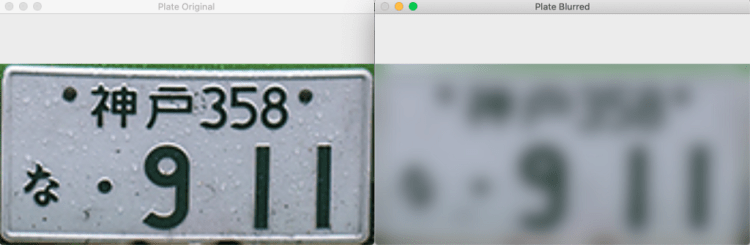
After the license plate was separated from the main image we can analyze its colors and determine the most dominant BGR color in it:
def findMostOccurringColor(cvImage) -> (int, int, int):
    width, height, channels = cvImage.shape
    colorCount = {}
    for y in range(0, height):
        for x in range(0, width):
            BGR = (int(cvImage[x, y, 0]), int(cvImage[x, y, 1]), int(cvImage[x, y, 2]))
            if BGR in colorCount:
                colorCount[BGR] += 1
            else:
                colorCount[BGR] = 1

    maxCount = 0
    maxBGR = (0, 0, 0)
    for BGR in colorCount:
        count = colorCount[BGR]
        if count > maxCount:
            maxCount = count
            maxBGR = BGR

    return maxBGR

plateBackgroundColor = findMostOccurringColor(plateImageBlur)
tempContours3 = cv2.drawContours(imageCv.copy(), [plateContour], -1, plateBackgroundColor, -1)
cv2.imshow('Original Image', imageCv)
cv2.imshow('Result', tempContours3)
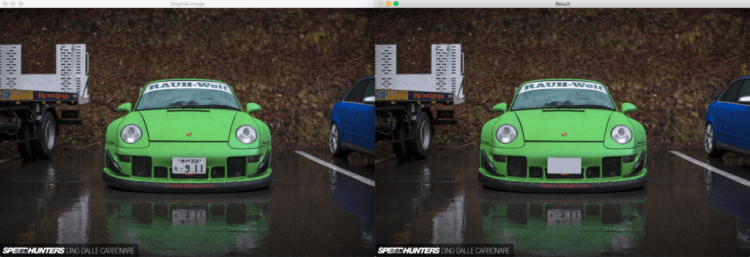
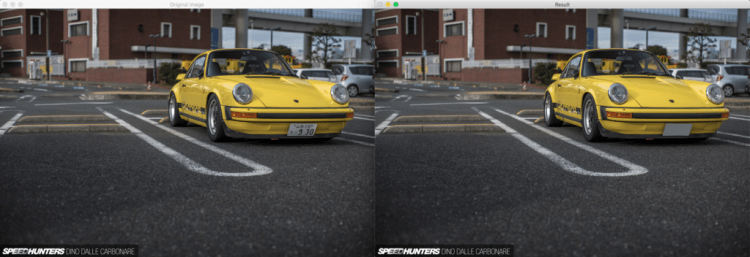
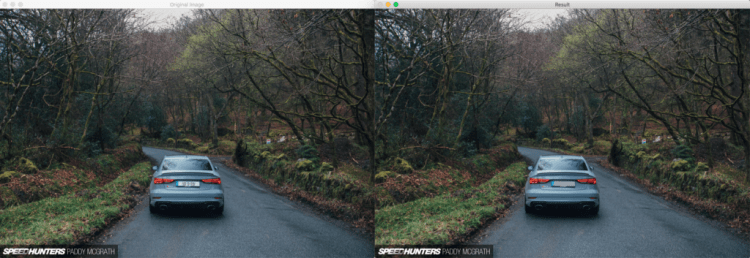
That’s it! With the plate contour now filled by its background color we have a more-or-less working example of license plate remover.
Of course this approach has many pitfalls. What if the car and the license plate has the same color (i.e. white)? What if there are some rectangle signs on the picture? What if we have several cars in one picture, and we want to hide all their plates? What if the plate is only partially visible, but we still need to hide it? What if the plate is under some weird angle? We can’t handle all these cases relying purely on OpenCV. But it sure was fun to play around and build this solution.
Thank you all for reading, and best of luck in your coding endeavors!
GitHub repo with source code:
Don’t forget to give us your ? !




License plate removal with OpenCV was originally published in Becoming Human: Artificial Intelligence Magazine on Medium, where people are continuing the conversation by highlighting and responding to this story.
Via https://becominghuman.ai/license-plate-removal-with-opencv-6649a3ac54e2?source=rss—-5e5bef33608a—4
source https://365datascience.weebly.com/the-best-data-science-blog-2020/license-plate-removal-with-opencv
 365 Data Science